The best Tesla Model Y screen protector is a low-cost fix. It can help with three common issues: fingerprints, glare, and scratches. The center touchscreen runs everything in the car. It’s your way to navigate, control climate, see Sentry Mode footage, and much more. However, it collects smudges from the moment you touch it. Also, a scratched screen is annoying every single drive, and replacing the display isn’t cheap. For $40 to $75, a piece of tempered glass can solve all three problems.
The Tesla Model Y screen protectors below are some of the highest rated. You’ll find a range of prices as well. Although, make sure you’re getting the correct screen size for your Tesla. Below the list of the best screen protectors, I’ve shared some useful notes and more Tesla guides.
Check Your Screen Size: 15 vs 15.4 vs 16 Inches
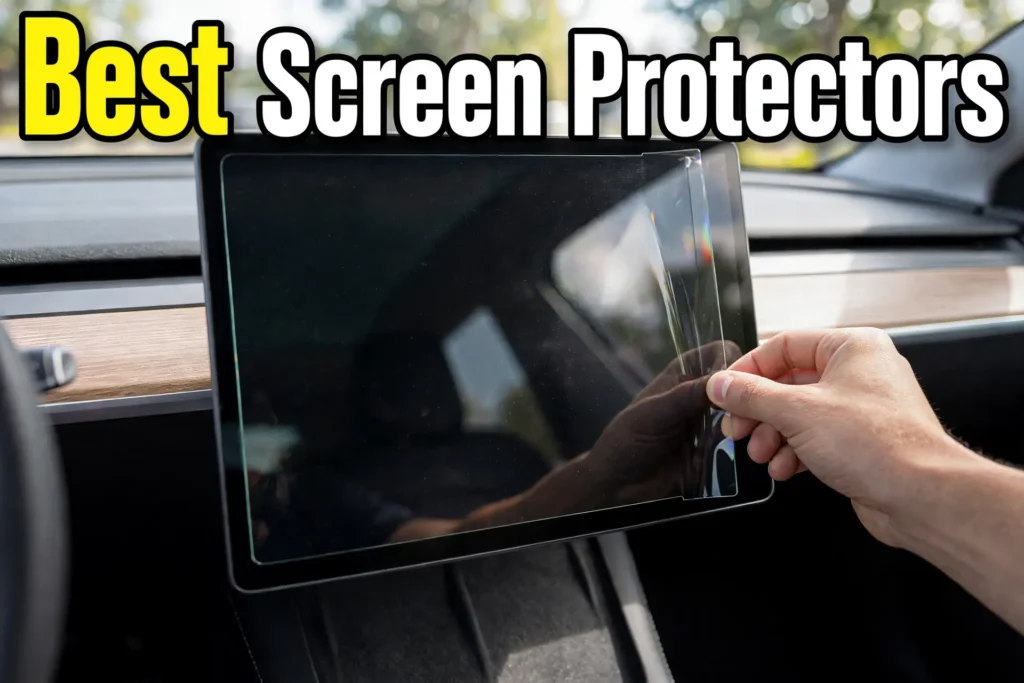
The Tesla Model Y has featured three front touchscreen sizes. This depends on the model year, trim, and regional refresh.
- 15.0 Inches (Original): The earliest versions of the Model Y launched with a 15-inch center display. It was similar to the early Model 3 production.
- 15.4 Inches (Mid-generation update): Tesla updated standard and early refresh configurations. These have a slightly larger 15.4-inch display. It features crisper borders and updated dimensions.
- 16.0 Inches QHD (Latest standard): These come with the newer production Model Ys (rolling out through late 2025 and standardized across the lineup by mid-2026). They’re upgraded to a 16-inch QHD center touchscreen. They have thinner bezels and sharper pixel density.
Not sure on your screen size? Here’s a quick Tesla VIN guide. You can learn when and where Tesla made your car. The VIN also shows the battery type, motor, and more info.
Best Tesla Model Y Screen Protectors
The links below are Amazon affiliate links. These are some of the highest rated and most sold products.
1. Best Overall: Spigen GlasTR EZ FIT (Matte Finish)
Spigen is a highly reviewed and trusted name in this category. That’s why the GlasTR EZ FIT is the best all-around pick. It’s 9H tempered glass with a matte finish that cuts glare, resists fingerprints, and shrugs off scratches. The screen still looks sharp. And the matte coating is subtle, not frosted.
The standout feature is the EZ Fit tray. It snaps onto the display and guides the glass into perfect alignment. This only takes about a minute, no measuring and no bubbles. If you’ve ever ruined a phone screen protector, this can be the opposite experience.
The product page defaults to the 16 inch Model Y variant. If you’re looking for an older Model Y, select one of the other screen sizes. Click here to see the best deals on Amazon today.
2. Spigen GlasTR EZ FIT (Clear Screen Protector)
If you want the screen to look exactly like it did from the factory, get the glossy version of the same Spigen protector. Same 9H tempered glass, same EZ Fit alignment tray, same Model Y fit options. It’s just a clear finish instead of matte.
This is the pick for drivers who rarely fight glare and prefer maximum color and clarity. You’ll wipe fingerprints off more often than with the matte version. However, the oleophobic coating keeps that manageable. Click here to see the best deals on Amazon today.
Also, I’m not sponsored by this company. It’s just one of the best-selling brands for Tesla screen protectors. The low cost is hard to beat as well. But nonetheless, it might be worth shopping around more.
3. Best-Selling Tesla Model Y Screen Protectors
Click here to see more the best-selling options on Amazon. I’ve already sorted it for you, but still look for lots of reviews and the average highest ratings. The prices range a lot but some of the best I’m seeing come in around $40. To pick the best product, here are some tips to keep in mind.
What to Look for in a Tesla Model Y Screen Protector
Tempered glass, not plastic film. Film scratches almost as fast as the screen itself. Real tempered glass with a 9H hardness rating is what stands up to keys, rings, and daily use.
Matte or glossy. Matte can reduce glare and hide fingerprints. These are the two biggest complaints about the bare screen. Glossy keeps the display looking exactly like it did from the factory. Neither is wrong. Instead, it comes down to how much bright sun your car sees and how often you wipe the screen.
An alignment kit. It can be hard to place a screen protector freehand. Every good option now ships with an alignment frame or tray. These snap on and drop the glass in place bubble-free. Don’t buy one without it.
The right size. This is the one people get wrong. The Model Y changed screen sizes with the 2025 refresh, and pre-refresh protectors don’t fit the newer cars.
How to Install a Tesla Model Y Screen Protector
Every pick above ships with an alignment frame or tray. Use it and it’s a simple process.
- Park indoors or in a garage. Dust is the only real enemy here.
- Clean the screen with the included wet wipe, then the microfiber cloth.
- Run the dust absorber sheet over the screen to pick up any remaining particles.
- Snap the alignment frame onto the display and set the glass into it.
- Press the center gently and let the adhesive spread outward. Push any small bubbles toward the nearest edge before it fully sets.
Do it once, take your time, and don’t rush it in a parking lot five minutes before a drive.
Frequently Asked Questions
Do I need a screen protector for my Tesla Model Y?
It’s not required, but it can be worth it. The touchscreen is the main control for the entire car. It can attract fingerprints, and the glare can make it hard to read in sunlight. A $40 piece of tempered glass can fix all three.
What size screen protector fits a Tesla Model Y?
There are few different Model Y screen sizes. There’s 15 vs 15.4 vs 16 inches. They’re not interchangeable, so confirm your model year. You can check this in your car’s software or by checking the VIN guide.
Should I get a matte or glossy screen protector?
Matte if glare and fingerprints bother you, glossy if you want the screen to look exactly like stock. One extra note: if you wear polarized sunglasses while driving, matte can avoid the rainbow effect that some glossy protectors show.
Will a screen protector affect touch sensitivity?
No, not with a quality one. Good tempered glass protectors are thin enough that the screen responds exactly like the bare display.
Can I install it myself?
Yes. The alignment trays included with modern protectors make it a one-person, one-minute job. The main thing that can go wrong is dust under the glass. This is why you should install indoors on a clean screen.
The Best Tesla Accessories and Guides
Whichever finish you pick, the right Tesla Model Y screen protector can help. And it comes down to two things: the correct size for your model year and a finish that matches how you drive. Get those right and your touchscreen stays clear, responsive, and scratch-free for years.
Want more ideas for your setup? Here are some related guides:
- 40 Tesla Accessories. Find both essentials and fun add-ons for your Tesla.
- Best USB drive for Tesla Sentry Mode. Pair your screen setup with proper dashcam storage.
- How to Fix a Frozen Tesla Screen. Here’s what to do if your screen freezes while driving.
Thanks for stopping by and feel free to reach out with any questions.