Preconditioning is the simplest efficiency habit a Tesla owner can build. The car warms its battery and its cabin before you leave, so the drive starts with full regenerative braking, proper performance, and a comfortable cabin.
The feature has changed shape in recent software. The old Scheduled Departure setting is gone, replaced by a Schedule screen that handles preconditioning and charging as two separate schedules. This guide explains how it works now, how to set it up, and the one condition that decides whether it saves energy or wastes it.
The short version: Tesla preconditioning warms the Battery and the cabin for the time you set. Set it under Controls, then Schedule, in the car, or in the Schedule section of the Tesla app, and the car works out when to start on its own. It only pays off when the car is plugged in, because an unplugged car does the same warming with battery power you then cannot drive on.
The Biggest Trap: Preconditioning on Battery Power
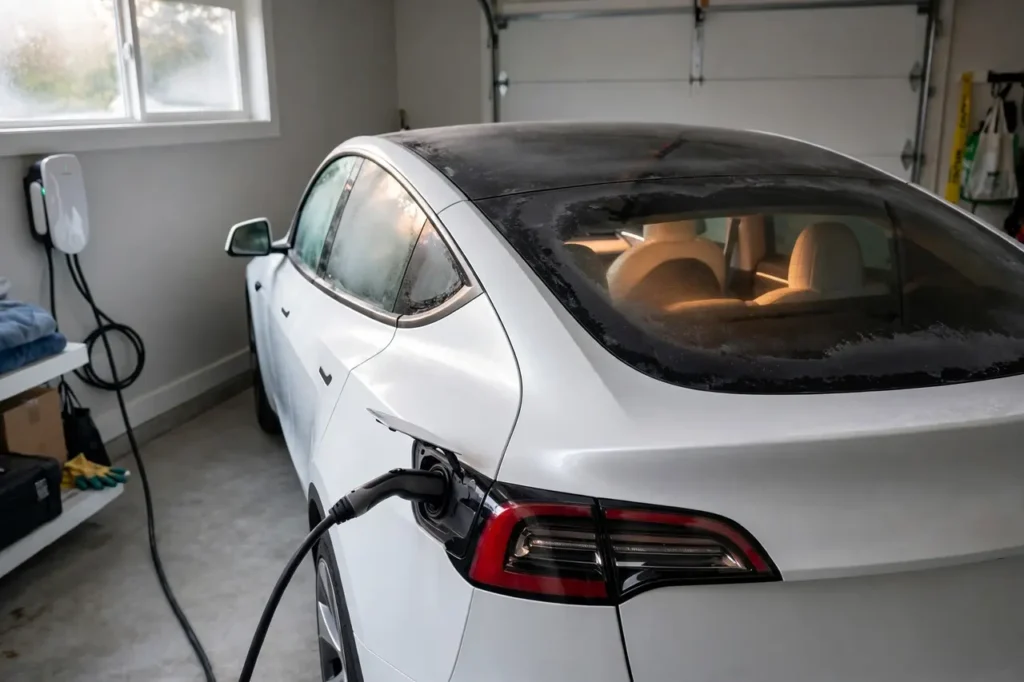
Preconditioning takes energy. When the car is plugged in, that energy comes from the wall. When it is not plugged in, the energy comes out of the Battery, and Tesla only allows it while the charge level sits above 20 percent.
That trade can still be worth it on a cold morning, when a warm battery returns more in regenerative braking and usable range than the warming cost. On a mild morning it is mostly comfort with a range cost attached.
There is a second half to the trap. If charging finishes hours before you leave, the Battery cools back down, and the car spends more energy warming it again at departure.
What Preconditioning Actually Does
A cold battery is a limited battery. It delivers power more slowly, it holds back regenerative braking, and it spends some of its own energy warming itself. As the manual puts it: preconditioning warms the Battery for improved performance and sets the cabin climate for your departure time.
When you schedule a precondition, you give the car a ready time, not a start time. The car calculates when to begin based on the weather and the state of the Battery, then warms the pack and the cabin so both are ready when you walk out.
You can also precondition on demand. Turning on the climate from the Tesla app warms the cabin and, as the manual notes, warms the high voltage Battery as needed. Tesla recommends starting manual climate at least 30 to 45 minutes before departure in cold weather, and the app tells you when the cabin reaches the temperature you set.
Preconditioning is not the same as holding a temperature while you stay in the car. For sleeping or waiting in a parked Tesla, that job belongs to Tesla Camp Mode, which keeps the climate running for as long as you leave it on.
How to Set Up a Schedule in the Car
- Touch Controls, then Schedule. You can also reach Schedule from the climate controls screen and from the charging window.
- Pick the location: your current location, Home, or Work. Schedules are saved per location, so a home schedule does not follow the car to the office.
- Touch Precondition and set the time you want the car ready by, plus the days it should happen.
- Touch Charge if you also want a charging window, and set the start and stop times there.
- Touch Create to save the schedule.
One setting decides what happens next week. With Repeat Weekly on, the schedule keeps running on the days you picked. With it off, the car runs the schedule once and then turns it off until you enable it again.
You can build more than one schedule for a location, so a 7 am weekday departure and a later Saturday start can live side by side.
How to Set Up a Schedule in the Tesla App
The same schedules live in the Tesla app, and the manual calls for app version 4.34.5 or higher. Open the app, open the Schedule section, pick the location, and add a Precondition time and, if you want one, a Charge window with start and stop times. Set the days and save.
The app is also where one off preconditioning starts. Open Climate, set your temperature, and turn climate on. The app notifies you when the cabin reaches your temperature.
Make Charging Finish at Departure, Not Hours Before
The charge half of the Schedule screen is what turns preconditioning into an efficiency win. Give the charge schedule an End by time and no start time, and the car works backward. It briefly draws power when you plug in, you may hear clicking, works out how long charging will take, and starts late enough to reach your charge limit right at the End by time.
Set that End by time to your departure. Tesla recommends exactly this: a battery that finishes charging near departure is still warm from charging and needs less extra energy to precondition. It also suits off peak electricity rates, since the car can hold off and charge inside the cheap hours as long as it still finishes on time.
If you would rather fix the start, set a Start at time, and the car charges from then until it reaches your limit. Two limits apply either way. Charge schedules are ignored at fast chargers, including Superchargers, and a car plugged in during a scheduled window can start charging at once. For the bigger picture on charge limits and daily habits, work through these Tesla charging tips.
Preconditioning in Winter
Winter is where preconditioning earns its keep. A scheduled precondition on a frosty morning warms the Battery enough to restore the regenerative braking a cold pack would limit, and running a schedule can also stop the charge port latch freezing shut. The U.S. Department of Energy gives the same advice in its guide to winterizing an electric vehicle: warm the car up while it is still charging, so the battery and cabin are ready without spending range.
Know the difference between the two tools in the app. Preconditioning from the Climate screen warms the cabin to your temperature and warms the Battery as needed. Defrost Car is the heavier tool: it melts snow, ice, and frost from the windshield, windows, and mirrors, and it can thaw a frozen charge port latch. Use Defrost Car when the car is wearing the weather, and plain preconditioning when it is simply cold.
Seat heaters and the heated steering wheel are set from the same app Climate screen, so the whole cabin is ready, not just the air. For the rest of the cold weather routine, from tire pressures to frozen door handles, see these Tesla winter driving tips.
One Word, Two Jobs: Preconditioning for a Charger
Tesla uses the same word for a different trick. When you navigate to a Supercharger or another fast charger, the car preheats the Battery on the way so it can charge at full speed when you arrive. Software update 2025.2 extended that automatic warming to more third party fast chargers set as the destination.
That feature is automatic and separate from everything above. Code spotted in Tesla app version 4.63.0 in November 2026 points to a manual Precondition Battery button for fast charging, but Tesla has not released it yet, so navigation remains the way to trigger it.
Mistakes That Waste the Benefit
Leaving the car unplugged. The schedule still runs, but the Battery pays for the warming, and below 20 percent charge it will not run at all.
Charging to the limit right after plugging in. With no End by time set, the car can finish at midnight and sit cold for hours, which throws away the warm battery you wanted at departure.
Building the schedule at the wrong location. Schedules belong to places. A schedule created at home does nothing on a trip, and one created at a hotel will not help back home.
Forgetting the one time setting. A schedule with Repeat Weekly off disables itself after a single run. If the car is cold on day two, that toggle is the first place to look.
Expecting the schedule to work at a Supercharger. Charge schedules are ignored at fast chargers, so departure timing is a home and destination charging tool.
What to Remember
- Preconditioning warms the Battery and the cabin so both are ready at the time you set
- It saves energy only when the car is plugged in; unplugged, it spends battery charge and stops below 20 percent
- Schedules live under Controls, then Schedule, and in the Tesla app, and they are saved per location
- Set the charge End by time to your departure so charging finishes warm, right when you leave
- Repeat Weekly decides whether a schedule runs once or keeps running
- Defrost Car is for ice and snow on the glass; preconditioning is for warmth and a ready Battery
Frequently Asked Questions
Does preconditioning use battery?
Yes, preconditioning uses battery power whenever the car is not plugged in. Tesla only lets it run while the charge level is above 20 percent. Plugged in, the same warming draws from the wall instead.
How long before departure should you precondition?
With a schedule, you do not choose a lead time at all. You set the departure time and the car calculates when to start. When you start climate manually from the app, Tesla recommends at least 30 to 45 minutes before departure in cold weather.
Does Scheduled Departure still exist?
No, the Scheduled Departure name is gone from current Tesla software. Update 2024.26 replaced it with the Schedule screen, where Precondition and Charge are set separately for each location. The idea is the same, with more control: the Precondition time is your departure time, and the charge End by time finishes charging to match it.
Can you schedule preconditioning for weekdays only?
Yes, you can pick the exact days a schedule runs when you create it. Choose Monday to Friday for a work routine, leave Repeat Weekly on, and the car preconditions on those mornings only.
The Bottom Line
Tesla preconditioning is a timing feature, not a power feature. Set the departure time, plug the car in, and let it warm the Battery and cabin on wall power, so you leave with full regenerative braking and a warm cabin. Skip the plug and it still works, but your range pays the bill.
Related reading:
- Tesla charging tips for daily driving and battery health: the full set of charging habits this schedule is built to support.
- Tesla winter tips for range, traction, and cold mornings: how preconditioning fits into the wider cold weather routine.
- Tesla Camp Mode guide: the setting that holds cabin temperature while you stay in the car, and how much battery it uses overnight.